As a middle-level computer game player, it is important to have a desktop configuration that can support your gaming needs. While high-end gaming rigs may be out of reach for many, there are minimum and good enough configurations that can provide an enjoyable gaming experience without breaking the bank. In this article, we will explore the key components and specifications to consider when building or upgrading your gaming desktop.
The Processor (CPU)
The processor, also known as the central processing unit (CPU), is the brain of your computer. It determines how quickly your computer can process information and execute tasks. For gaming, a quad-core processor is generally considered the minimum requirement. However, to ensure smoother gameplay and better performance, it is recommended to invest in a higher-end processor with at least six cores. This will allow for faster loading times and better multitasking capabilities.
The Graphics Card (GPU)
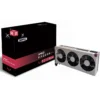
The graphics card, or GPU, is arguably the most important component for gaming. It is responsible for rendering the graphics and delivering them to your monitor. For middle-level gaming, a dedicated graphics card with at least 4GB of VRAM is recommended. This will allow you to play most modern games at medium to high settings. However, if you want to future-proof your system and play games at higher resolutions or with ray tracing capabilities, consider investing in a higher-end graphics card with more VRAM.
Memory (RAM)
RAM, or random access memory, is used to store data that your computer needs to access quickly. For gaming, it is recommended to have a minimum of 8GB of RAM. This will ensure smooth gameplay and prevent any lag or stuttering. However, if you plan on running multiple applications or streaming while gaming, consider upgrading to 16GB or even 32GB of RAM for better performance.
Storage Options
When it comes to storage, there are two main options to consider: hard disk drives (HDD) and solid-state drives (SSD). HDDs are more affordable and offer larger storage capacities, making them suitable for storing games and other large files. However, SSDs are much faster and provide quicker load times, resulting in a smoother gaming experience. It is recommended to have at least a 256GB SSD for your operating system and frequently played games, along with a larger HDD for additional storage.
Power Supply Unit (PSU)
The power supply unit, or PSU, is responsible for supplying power to all the components in your desktop. It is important to choose a PSU that can handle the power requirements of your system. A minimum of 500W is recommended for middle-level gaming configurations. However, if you plan on adding more powerful components in the future, such as a high-end graphics card or additional storage drives, consider investing in a higher wattage PSU to ensure stability and prevent any power-related issues.
Building or upgrading a gaming desktop can be an exciting and rewarding experience. By understanding the minimum and good enough configurations for gaming, you can make informed decisions when selecting the components for your system. Remember to prioritize the CPU, GPU, RAM, storage options, and PSU to ensure a smooth and enjoyable gaming experience. With the right configuration, you can immerse yourself in the world of gaming without breaking the bank.